My Awake Pro is Missing
It may sometimes occur that the Awake Pro version you purchased is missing, for example, after switching devices or changing your Apple Account. However, there is no need to worry because there is a simple fix for this issue.
Restore Your Purchase
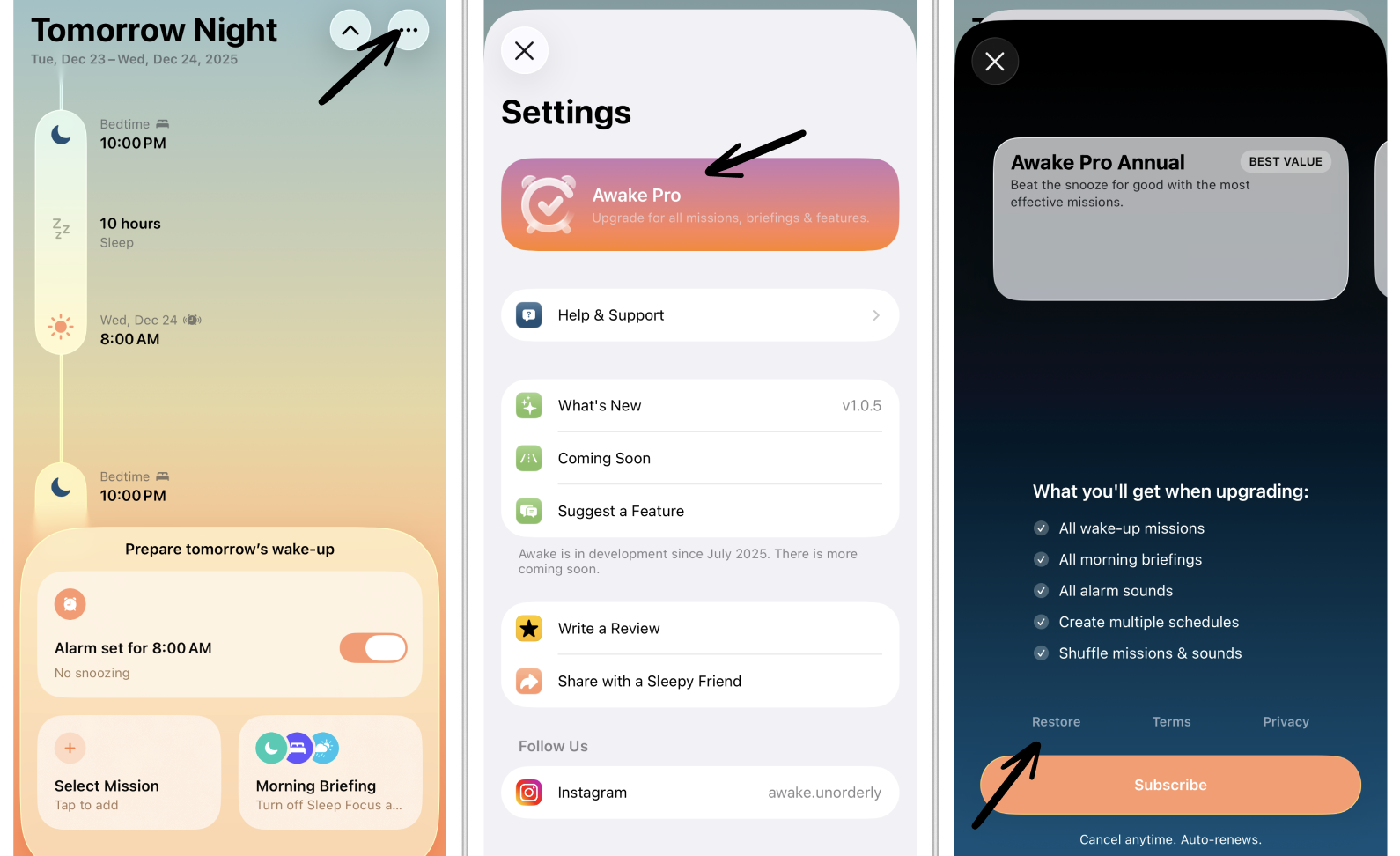
In case you find your Structured Pro version missing, you can go to your ⚙️ Awake Settings and tap the Awake Pro banner. Scroll all the way down. At the bottom of the paywall, you will find the option Restore Purchase.
New Device Without Pro Features
Your Awake Pro subscription or purchase may also be used on your new personal devices.
If you received a new device, usually your purchases or subscriptions transfer automatically to your new device, as long as it runs on the same Apple Account. If you don't see the Awake Pro features immediately after downloading Awake, try to restore your purchase as described in the section above.
In case your new device runs under a different Apple Account, please reach out to our support team.
Restoring Purchase Didn’t Work
If you cannot restore your purchase, please contact customer support using either our contact form or writing an email to support@awakeapp.io. Please ensure to include your Awake User ID and proof of purchase.
You can find your Awake User ID in your ⚙️ Awake Settings when tapping on Help & Support. As proof of purchase, you can attach a screenshot of your invoice.
Paid Twice for Awake Pro
If you accidentally pushed the wrong button while attempting to restore Awake Pro and purchased Awake Pro again or got charged twice, you can apply for a refund here.